Put the QR code on your poster. Guests scan it or type idsk.app/K7Q4, and the photos from every phone at the haldi, the sangeet or the birthday land in one album. No app, and no sign-up.
For hosts, families and event managers. No studio needed, no card, and guests pay nothing.
50 GB
of photos, free, across up to 10 open events
25 GB
for one event, at up to 25 MB a photo
6 months
kept after the last function
SampleSample
idsk.app/K7Q4
Ananya & Karthik
Sangeet · Friday, 11/12/2026 · 6:30 pm
Photos
Add your own, and see the photos the host has chosen to show.
Add photos
3 photos added. The host shows them.
From the first card to the last photo.
Sample
01
Guests scan one code
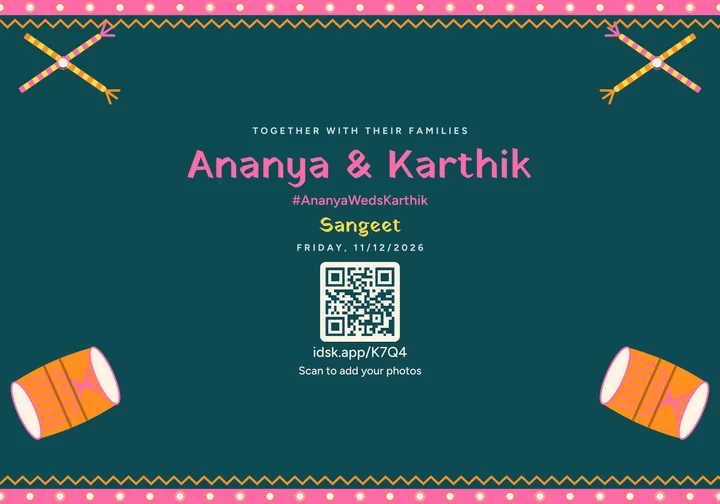
Every card carries your event's QR code and its short address, idsk.app/K7Q4. A scan opens the page where guests add their photos.
Sample
02
Your invitation, with the code on it
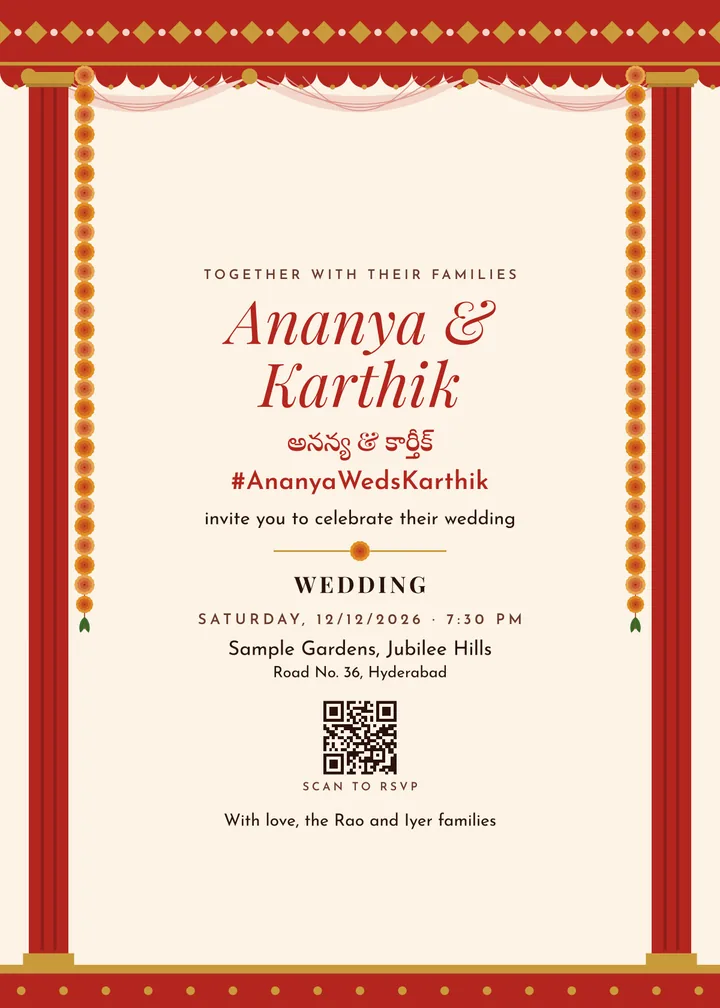
Names in English and Telugu, Hindi or Tamil, the hashtag under them, and a QR code to RSVP. Print it or send it on WhatsApp.
Sample
03
A card for every function
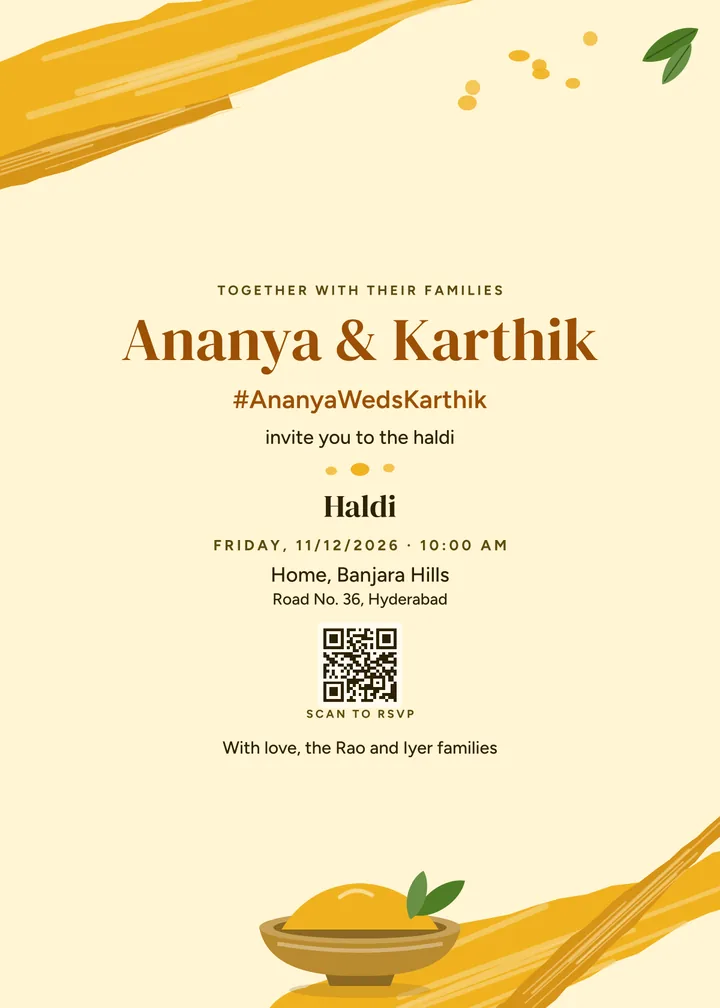
The haldi, the mehendi, the sangeet and the reception each get their own card, in the same design, from the same details.
Sample
04
Not only weddings
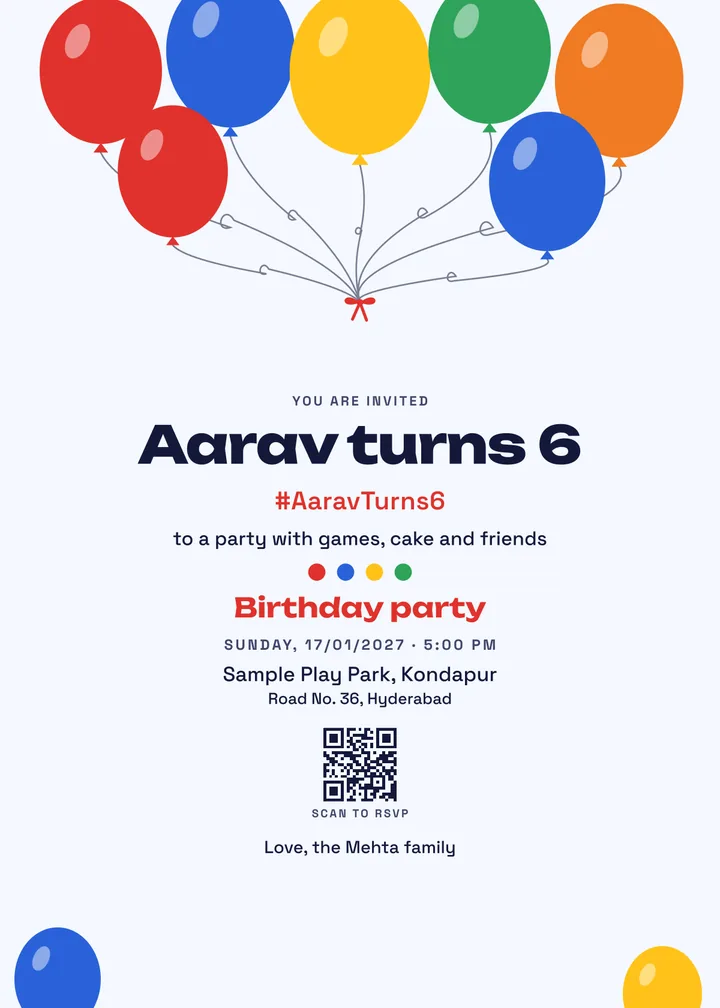
41 kinds of event, from a first birthday to a house warming or an office offsite, each with designs and words made for it.
Sample
05
Share it as your status
A tall story for WhatsApp status and Instagram, made from the same card. Change the date once and every card follows.
Sample
06
Guests get posts back
After the event, a guest who added 3 or more photos gets posts made from their own photos, in your design, with your hashtag.
Sample
07
50 GB free, kept 6 months
Up to 25 GB for one event and 25 MB a photo. You see the closing day from the start, and nobody pays.
1 of 7
One QR code. Every phone in the room.
For hosts, families and event managers. The photos from every guest reach you, with no one asking for them on WhatsApp.
1
Print the QR, or share the link
Every poster and card carries your event's QR code and its short address, idsk.app/K7Q4. Put one by the stage, and send the link on WhatsApp.
2
Guests add photos from their phone
A scan opens the upload page. No app and no password, up to 25 MB a photo. A photo goes to the function nearest its upload day, and you can move it.
3
You decide what shows
Guest photos arrive hidden. You show them, move them or remove them, many at a time. Then guests find the ones they are in with a selfie.
SampleSample
Guest photos
New, hidden until you show them
Haldi Sample guest 1Show
Sangeet Sample guest 2Show
Wedding Sample guest 3Show
Show all 3
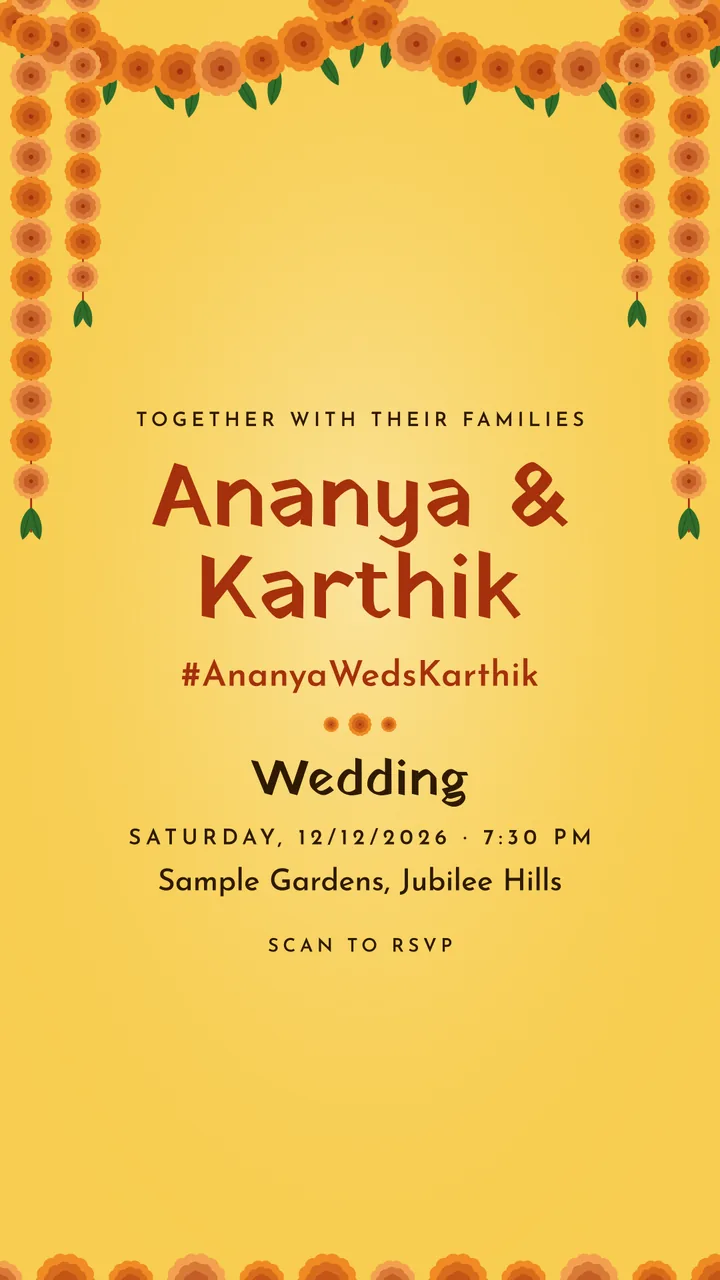
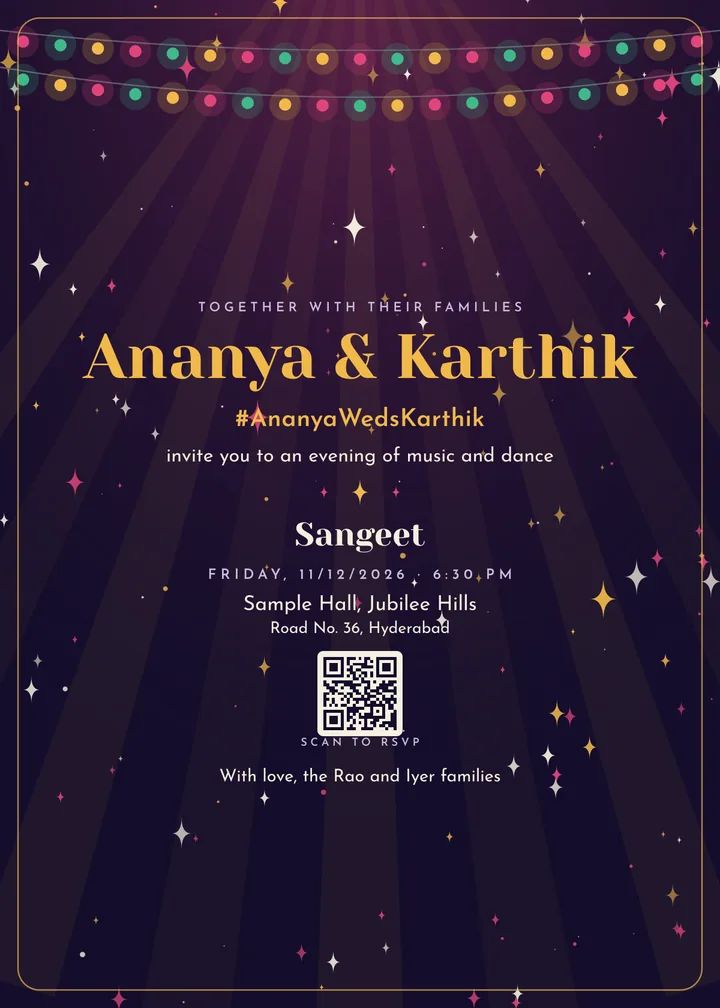
71 designs for 41 kinds of event.
Pick a design, and your invitation, QR card, programme and posts are made from the same details, with your event’s hashtag under the names. Change a date once and every card follows. Print them, or send them on WhatsApp.
Wedding · Mandap
Sangeet · Raat
Haldi · Peeli
Mehendi · Rachni
Birthday · Gubbare
House warming · Dwar
Nikah · Noor
Office offsite · Keynote
Every name, date and place on these cards is a sample.
What you can make
Invitation card
Save the date
QR card for RSVP and photos
Programme of functions
Album cover
Square post
Story
Thank-you card
4 of the designs are optional faith designs for Hindu, Muslim, Christian and Sikh weddings and events. A faith design is shown only when you choose it.
Graduation / convocation, Farewell, Retirement, Reunion (school, college or family)
Work
Office meetup / team offsite, Conference / seminar, Product launch, Award night, Store opening
Tell it about the event. It writes the card.
AI helps where it saves you time. You read every word before it goes on a card.
Describe your event
Write one line, like “Sangeet for Ananya and Karthik on 11/12 at 6:30 pm at Sample Hall”. The form fills in the kind of event, the date, the time and the place, and you keep what is right.
Wording in four languages
The invitation line, a short welcome and the thank-you, written for your kind of event, in English, Hindi, Telugu or Tamil. Names can sit in both scripts on one card.
3 AI pictures free for each event
A background drawn in your design’s colours and style, or a picture for your posts. Make one, keep it or try again.
Sample
Describe your event
Sangeet for Ananya and Karthik on 11/12 at 6:30 pm at Sample Hall
Kind of eventSangeet
NameAnanya & Karthik
Date11/12/2026
Time6:30 pm
Place to searchSample Hall
The names on the card
Ananya & Karthik
अनन्या और कार्तिक
అనన్య & కార్తీక్
அனன்யா & கார்த்திக்
Who is coming, and how they get there.
One link for the family WhatsApp group carries every function, and each guest answers for each one.
An RSVP for each function
Yes, no or maybe, with how many people, function by function. One headcount for the caterer, and the list as a spreadsheet.
Maps and directions
Each function shows its time and place, a map with a Get directions button, and a file that adds it to the guest’s calendar.
Reminders to add photos
During each function, the next morning and three days later, guests who said yes to messages get a nudge to add theirs.
Alerts on the guest’s phone
A guest who allows alerts gets your updates and the news that their posts are ready on their phone, without another WhatsApp forward.
Email invitations
Send the invitation by email to up to 500 guests an event, each with the link to RSVP.
Family-only functions
Tick a function as family only, and the Everyone link shows nothing of it: no name, no place and no date.
Sample
After the event, something to post.
Guests who add their photos get something back, made from their own photos in your event’s design.
Two free posts for each guest
A guest who adds 3 or more photos gets a portrait post and a square post after the event, in your design’s colours with your hashtag, ready for Instagram or WhatsApp status.
A short reel
Up to 8 of their photos as a 9:16 reel, made on the same day.
Find yourself with a selfieComing soon
A guest takes a selfie and sees the photos they are in. The selfie is deleted after the search.
SampleSample
Free for you and every guest.
Hosts and guests pay isodesk nothing. No plan to choose and no card.
Up to 10 events open at a time, 50 GB of photos across them and up to 25 GB for one event.
Photos stay 6 months after the last function, and you see the closing day from the start.
On closing day the photos, face data, replies and guest list are deleted.
 company
 Sangeet · Raat
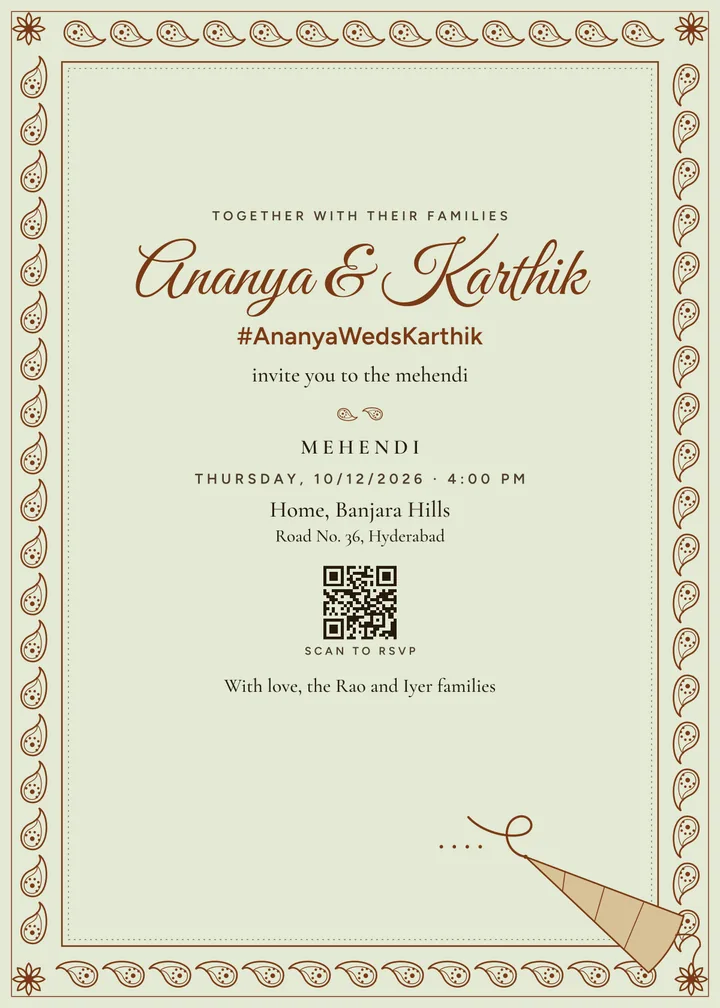 Mehendi · Rachni
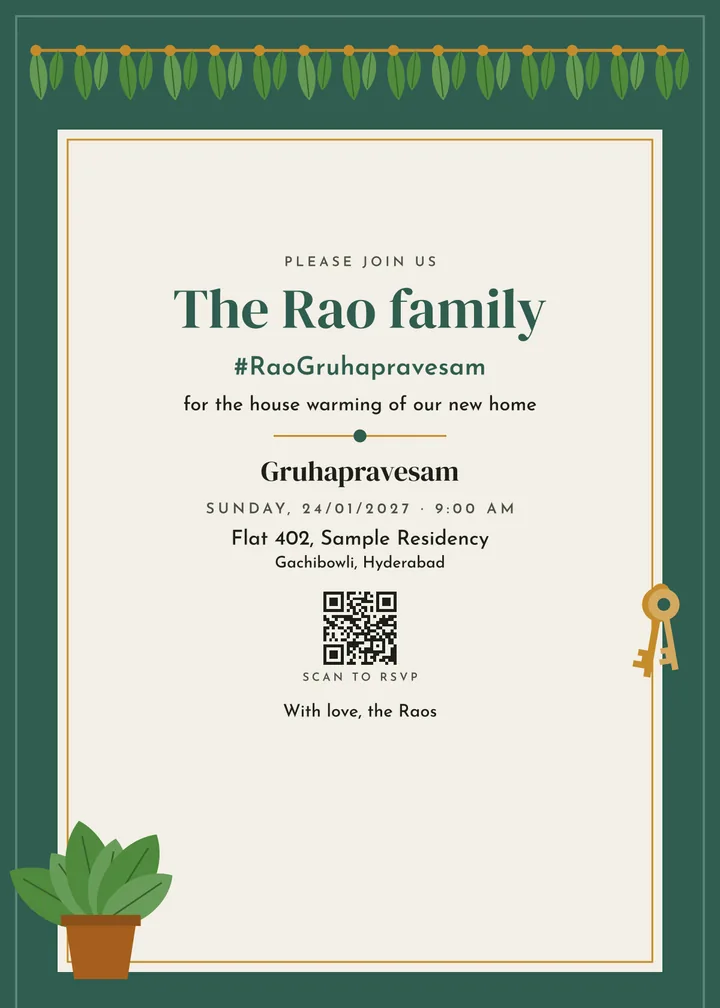 House warming · Dwar
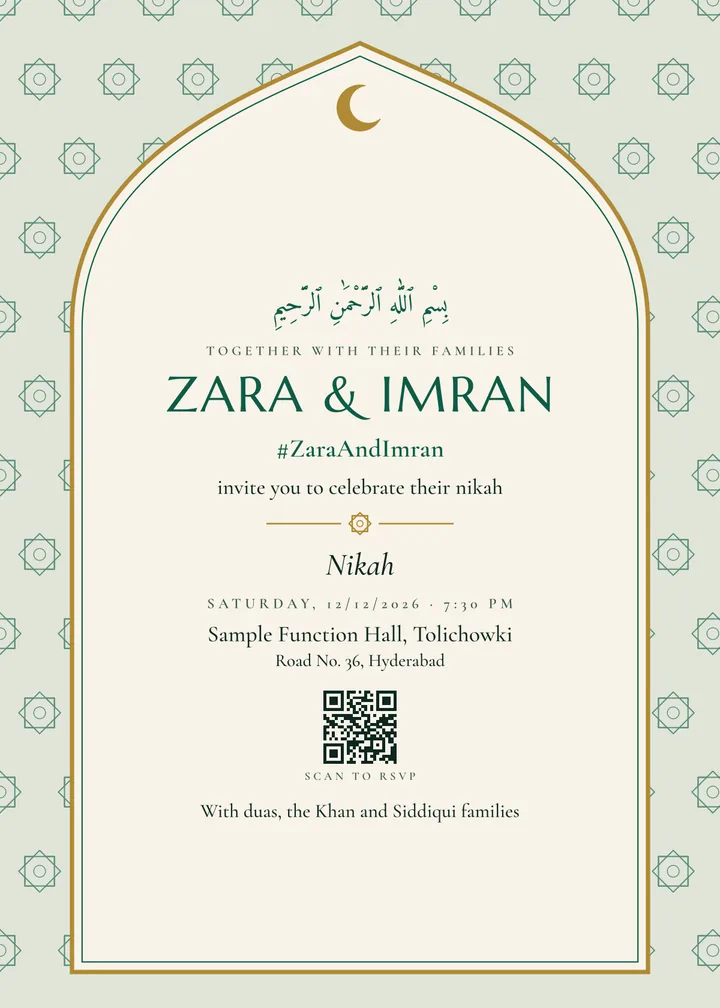 Nikah · Noor
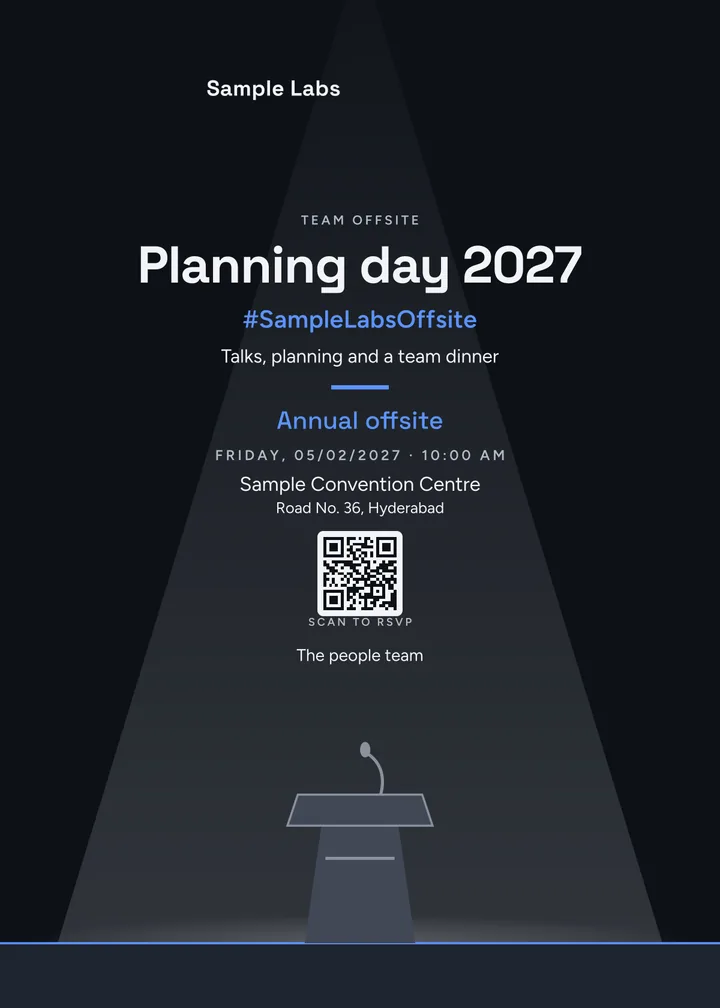 Office offsite · Keynote